Testimonial + Reviews Set-up:
Our AI Testimonial features allow you to easily collect powerful reviews and video testimonials from clients, display them on your website as a Wall of Love, and will be used in conversations by the Sales Rep to help convert website visitors to leads.
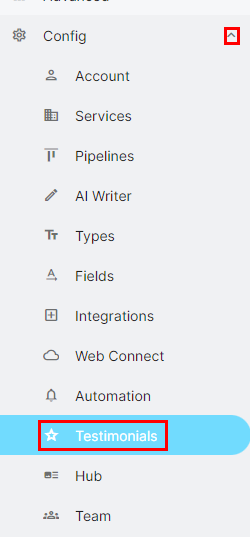
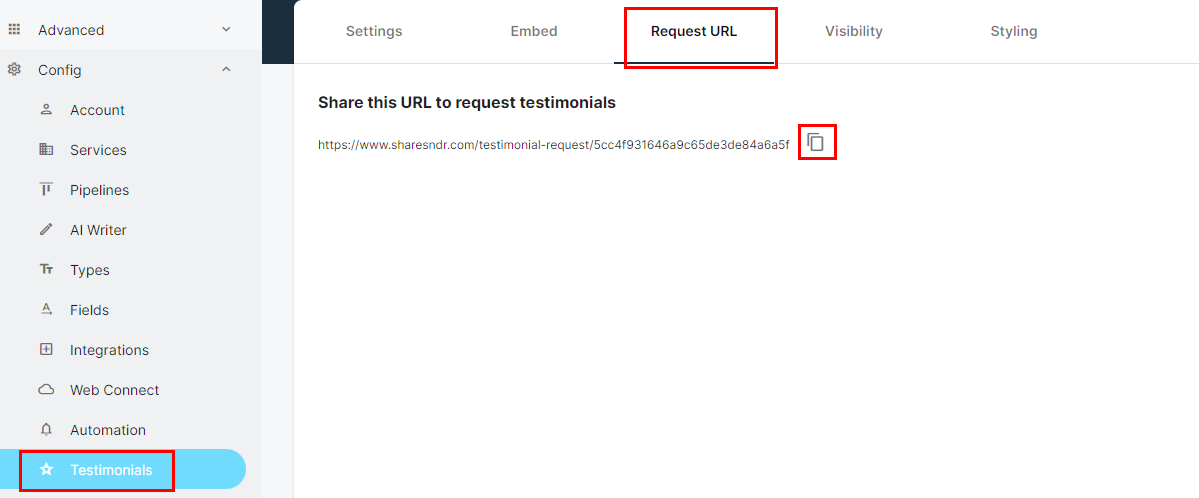
Step 1: Navigate to Config -> Testimonials from the side menu
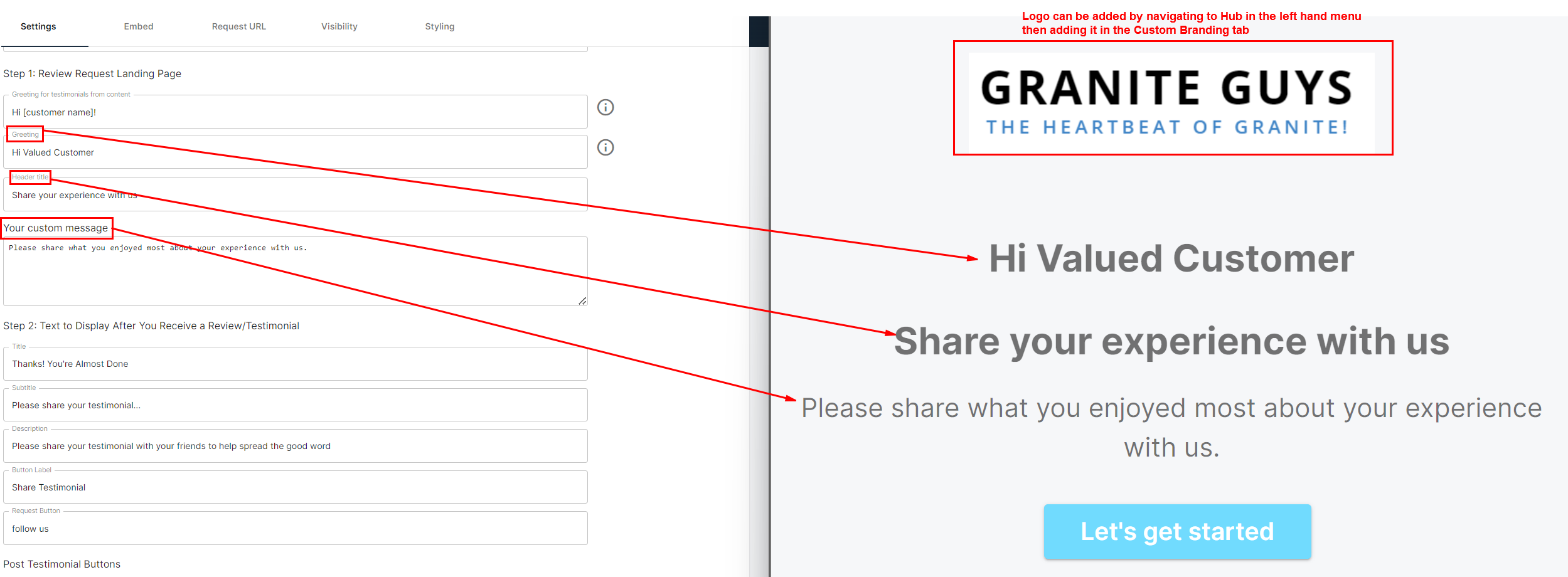
Step 2: Customize text for the Testimonial Request landing page:
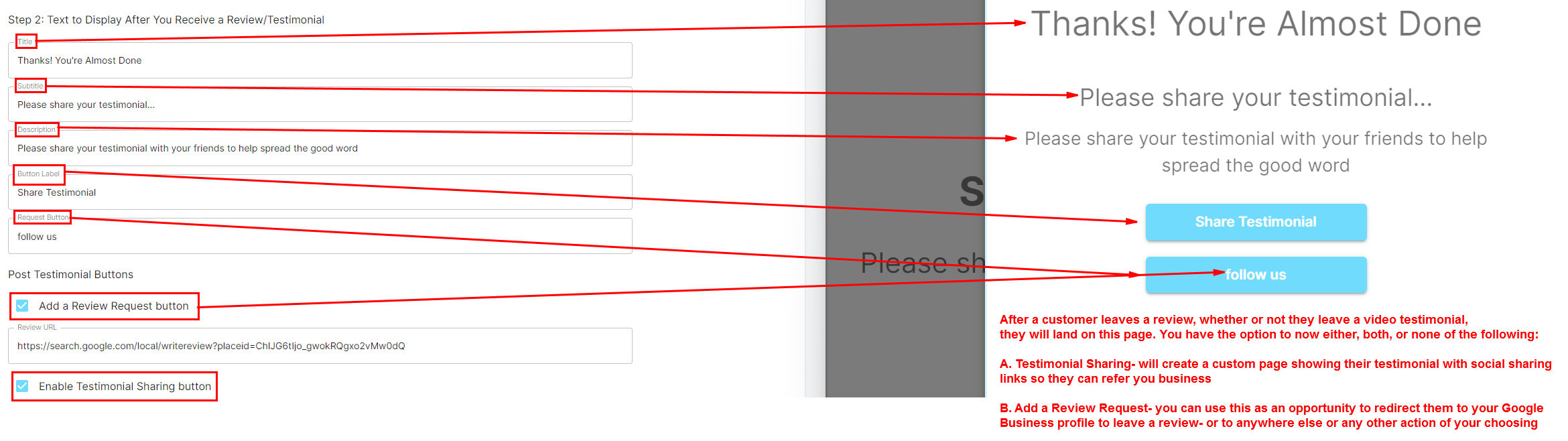
Step 3: Customize actions/text for after a customer leaves you a review/testimonial:
Step 4: Request testimonials from past and current customers using the testimonial request link:
Step 5: Customize options offered to customers leaving reviews. On the left side menu, Navigate to Config-> Fields:

Any Field that is showing for “Happy Customer Testimonial” can be edited (field title or options) or deleted by clicking on the “I” or Garbage can icons
After making your edits, please click the save button in the upper right hand corner.
Note: Please only use the multi-select option
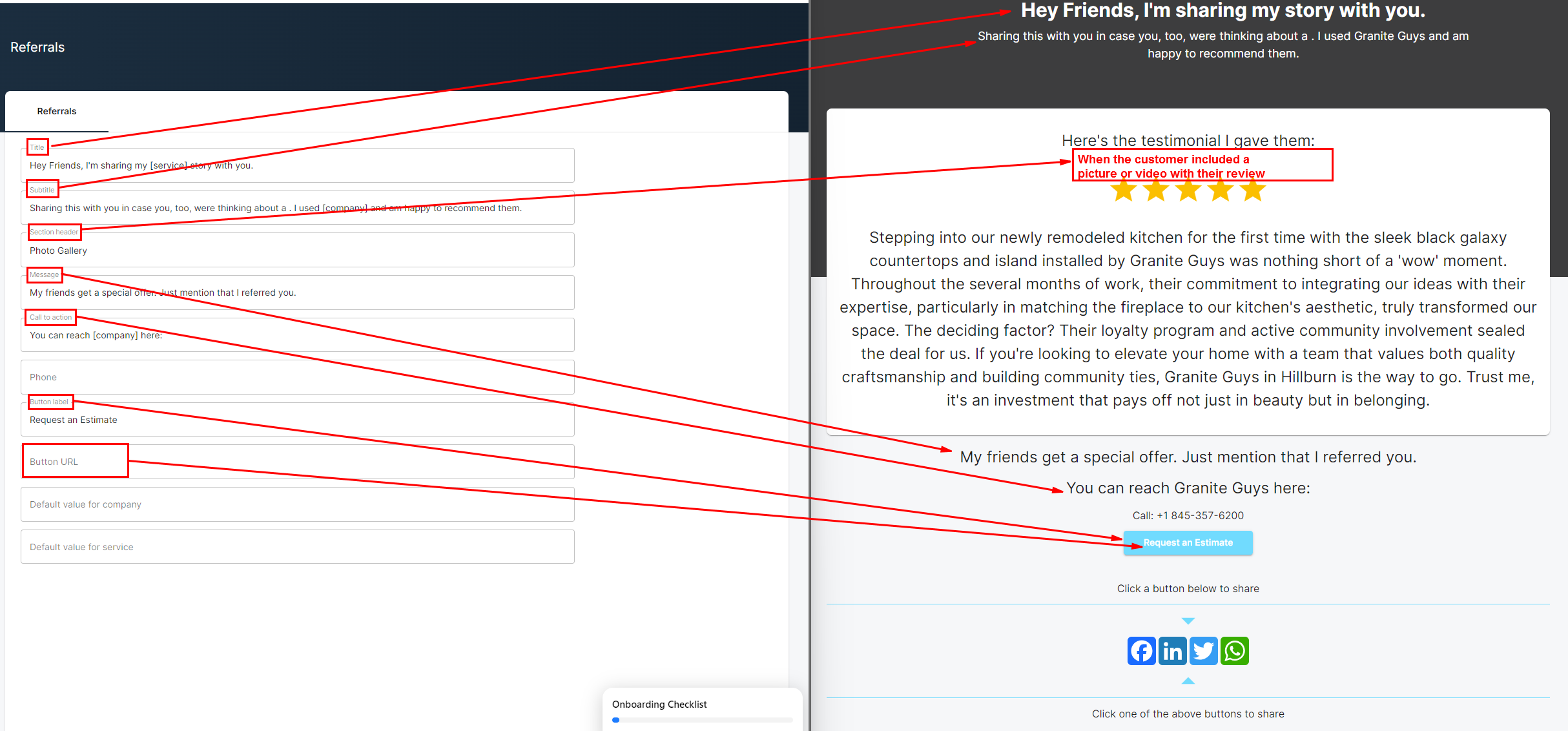
Step 6 (if using Testimonial Sharing): On the left side menu, navigate to Referrals and customize the page: