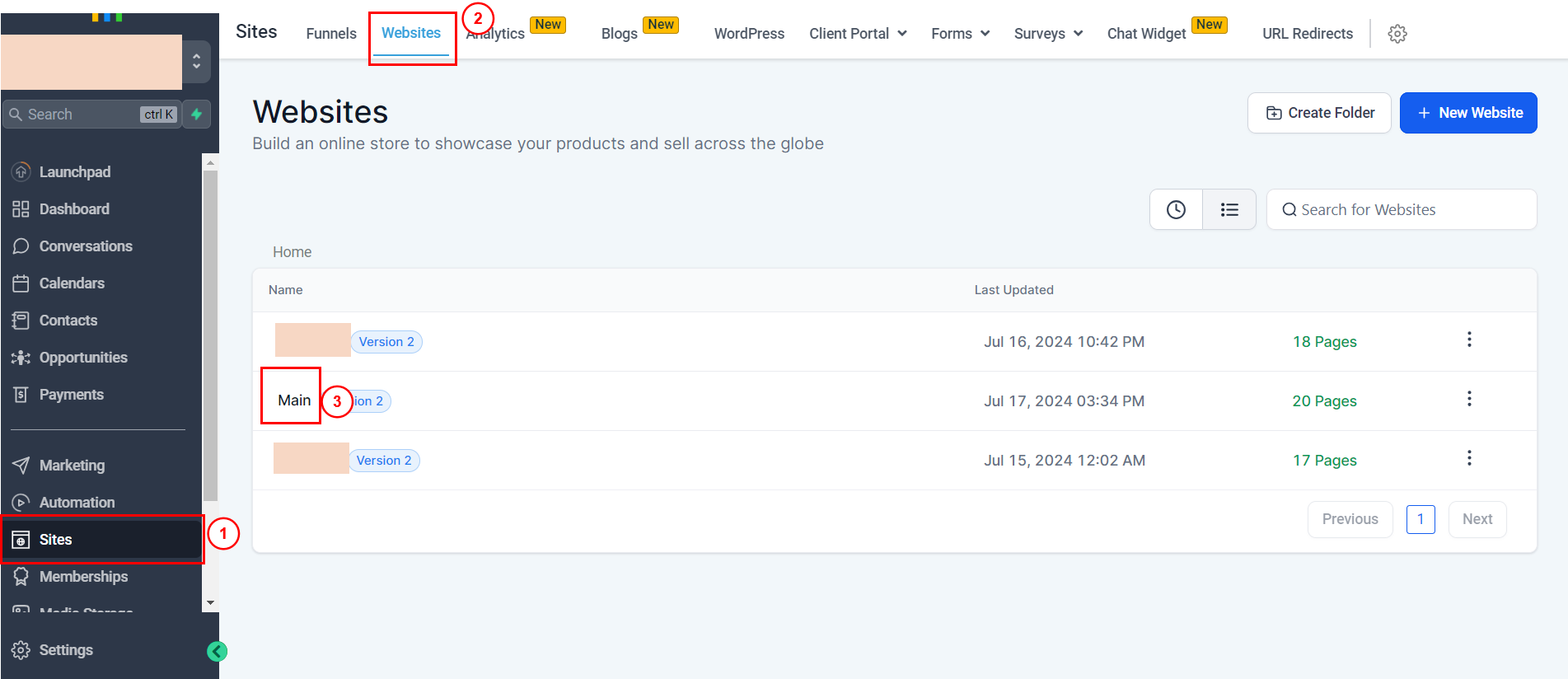
Step 1: Log into your Go High Level account. Select Sites, then click the Websites tab, then select the website you want to add the code to (in this example, it's called "Main"
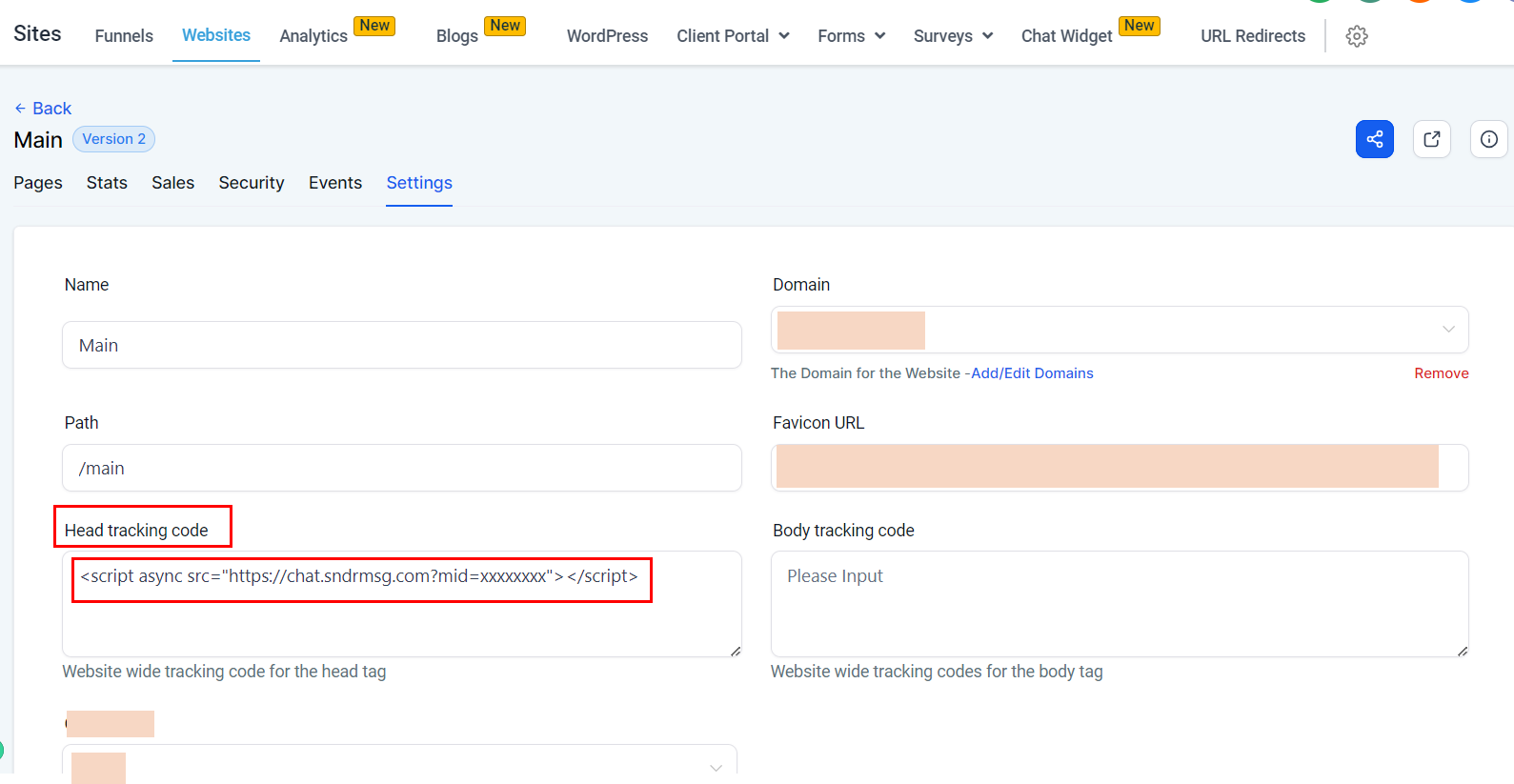
Step 2: Paste the chatbot code into the field called "Head tracking code" and save